









Let's cut to the chase: yes, free inventory management software exists. It comes as either a forever-free plan with usage caps or a full-featured free trial, often 14 days. We'll show you what "free" gets you, what it quietly doesn't, and when it's time to upgrade.
Here's why getting stock right matters, free tool or not. IHL Group projected that inventory distortion (stockouts plus overstock) would cost retailers about $1.7 trillion globally across all retail in 2024. That's a lot of money leaking out of the system, and no software fixes it if you can't actually see your stock.
Manual tracking isn't cheap, either. In our 2025 State of Inventory Intelligence research, we found that syncing siloed inventory data takes 16 hours a week. That's $21,632 a year for each entry-level employee doing the job. Even a free tool is a real upgrade from that starting line!
You're right to be a little skeptical, too. "Free" software tends to come with strings, and pretending otherwise wouldn't help you. We sell inventory management software for a living, so we know precisely where free plans hit their ceiling.
So here's our thesis for this guide. The smartest move isn't just finding something free. It's knowing when free is enough and when it starts costing you more than it saves.
Key Takeaways
- Free inventory management software exists in two forms: forever-free plans with usage caps, and full-featured free trials (often 14 days).
- Forever-free plans usually cap items, orders, users, locations, and integrations. Check each tool's current pricing page for exact limits.
- Free tools fit solo sellers and single-channel shops with small, stable catalogs.
- Free stops working once you sell on two or more channels, need forecasting, or rekey data between systems.
- The hidden cost of free is time: manual entry, stockouts, overstock, and a painful migration later.
- When workarounds cost more than software would, a paid inventory management system (IMS) usually pays for itself.
Is There Free Inventory Management Software?
Yes, there is free inventory management software, but it comes in two very different forms.
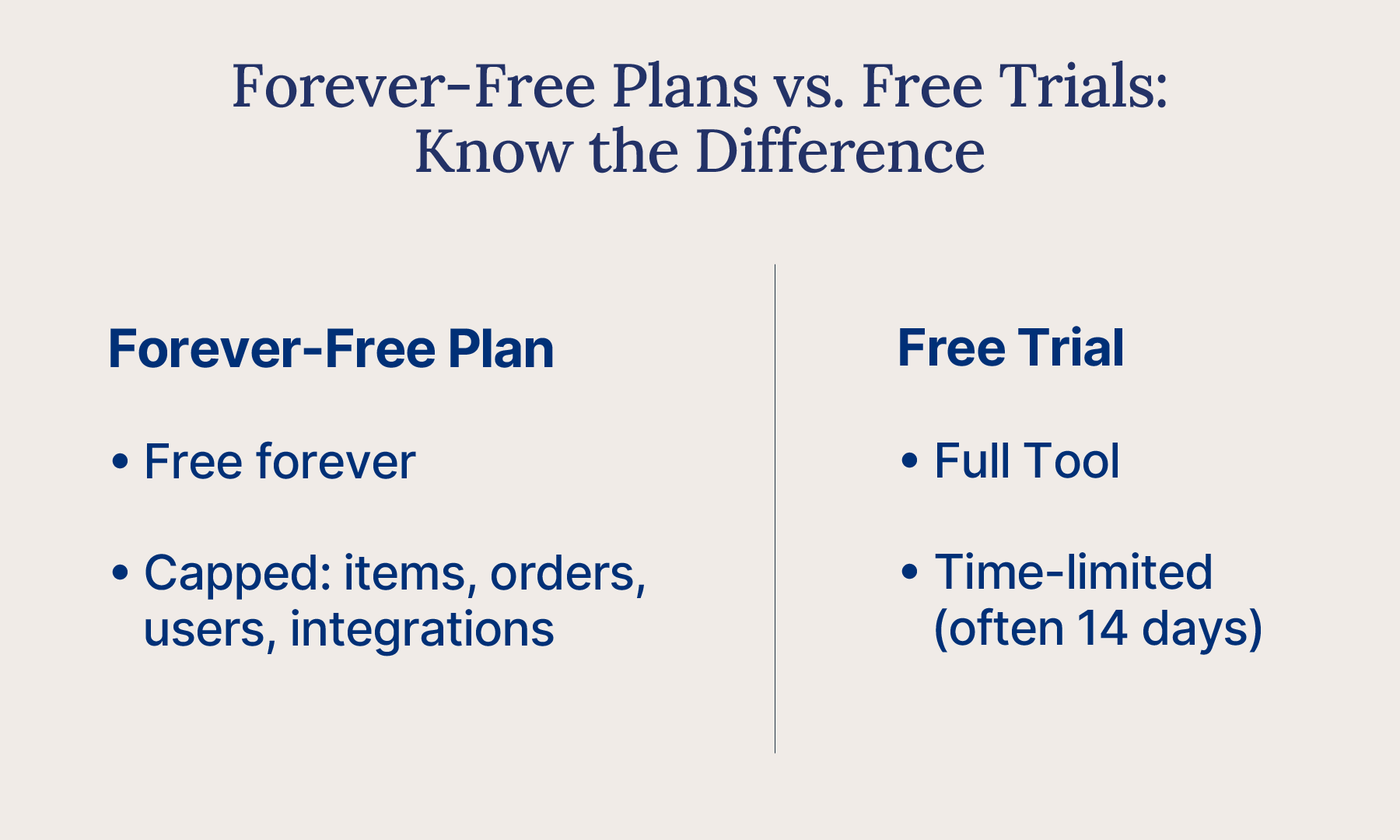
The first is a forever-free plan. You pay nothing indefinitely, and in exchange you accept hard limits on things like item counts, orders, users, and integrations. The second is a free trial. You get full access to a capable, paid-grade system for a set window, then you pick a plan or walk away.
Both are genuinely useful. Both are also, let's be honest, designed to move you somewhere. Free tiers are an on-ramp, not a final destination. Free plans exist, in part, to eventually convert a slice of their users to paid.
None of that is sinister. It just means you should know which kind of "free" you're signing up for before you build your operation around it. A free plan that fits today can quietly become a bottleneck tomorrow, and switching mid-stream is a hassle nobody enjoys.
So the rest of this guide covers what a free inventory management system actually includes, where it stops, and how to choose the option that fits where your business is headed, not just where it sits today.
What's the Difference Between a Forever-Free Plan and a Free Trial?
A forever-free plan costs nothing indefinitely but caps what you can do. A free trial unlocks the full tool for a set window, often 14 days. Knowing which one you're signing up for saves you a lot of headache later.
What Does a Forever-Free Plan Include?
A forever-free plan stays free for as long as you want it. The trade-off is caps, and usually a lot of them. Many free plans limit item and SKU counts, cap your monthly order volume, restrict you to a single user or location, and offer few (or zero) integrations.
That's not a knock. If your needs stay genuinely small, a forever-free plan can serve you well for a long time. The catch is simple: the moment you grow past those caps, the "free" part quietly disappears.
What Do You Get With a Free Trial?
A free trial flips the model. Instead of a limited tool forever, you get a full-featured, capable system for a set window, often around 14 days. When the clock runs out, you choose a plan.
Trials are better for pressure-testing whether a real system fits your workflows before you commit a dollar. You see the whole engine, not just the starter model. Cin7, for example, comes with a 14-day free trial, which is a very different thing from a forever-limited plan.
The key point: always check which kind of "free" you're actually getting.
What Can Free Inventory Management Software Do?
Free inventory management software handles the basics: stock tracking, manual adjustments, product records, low-volume orders, and simple reports. For the right business, that's plenty. Free tools aren't toys!
Plenty of tools throw in a mobile app, and a few even offer barcode scanning on their free tier.
Who's this genuinely enough for? Solo sellers, single-channel shops, businesses with very low SKU counts, and anyone with a stable, simple catalog. If that's you, a free tool can cover your needs comfortably.
And here's the encouraging part. For a business that's been living in notebooks and scattered spreadsheets, a free inventory app is a real step up. You get structure, a searchable record of what you have, and fewer "wait, how many do we actually have?" moments. That's a meaningful upgrade, and it costs you nothing but setup time.
Free inventory tracking software also does something quietly valuable: it builds good habits. You start recording stock moves in one place, checking counts before you promise a customer, and trusting a number instead of a gut feeling. Those habits carry forward no matter what tool you graduate to next.
Just go in clear-eyed. A free inventory app covers the basics well. It's what sits beyond the basics that tends to cost money.
Is There a Free Inventory Management App for Your Phone?
Yes, many free inventory tools include a mobile app for checking stock and adjusting counts on the go. An inventory management app is simply inventory software built for your phone or tablet. You can count, receive, and look up stock wherever you are.
Before you pick one, check a few things:
- Does the free plan include the app, or only the desktop version?
- Can you scan barcodes with your phone's camera, or do you need extra hardware?
- Does the app sync automatically with your main inventory records?
- How many users can log in on mobile?
On Cin7 Core, the Cin7 Core WMS app is free to download for iOS and Android. Standard WMS comes with every Cin7 Core plan, so your team can pick, pack, receive, and run stocktakes from a phone. Whether your warehouse is a back room or a van, your counts stay in sync!
Can You Use Excel or Google Sheets for Inventory Management?
Yes, for a very small operation, a well-built Excel or Google Sheets tracker can absolutely work. Fair question, and there's no shame in starting there.
But spreadsheets break in predictable ways. There's no real-time sync, so your numbers drift the moment two people edit at once. Version chaos creeps in ("final_v3_USE_THIS.xlsx," anyone?). You get no low-stock alerts, manual entry invites typos, and nothing connects to your sales channels.
So here's a practical middle ground. Start on a solid spreadsheet template if that's where you are today. Then graduate to real software once your item counts climb or you add a second channel. The goal is a single source of truth, one place everyone trusts, rather than a dozen tabs that only sort of agree with each other.
What's the Best Free Inventory Management Software for Your Business?
The best free inventory management software depends on how you sell. A solo seller and a small manufacturer need very different things! Below, we match free tools to business types, then name the specific tools worth comparing.
Best Free Inventory Software for Solo Sellers and Small Shops
If you're a team of one (or nearly), prioritize ease of use and mobile access. You want something you can set up in an afternoon without a manual. SKU pressure is low here, so a forever-free plan's item cap probably won't pinch for a while. Look for clean product records, quick stock adjustments, and a decent phone app so you can update counts from wherever you are.
Best Free Inventory Software for Retail and E-Commerce Sellers
Selling online (even on just one storefront)? Prioritize sales-channel connection and order tracking. This is where free tiers start showing their limits, though. Most free plans cap or completely omit multichannel sync, so if you list on a marketplace and your own site, check carefully before you rely on it. Watch order volume caps too, since a good sales week can quietly blow past a free monthly limit.
Best Free Inventory Software for Trades and Field Service Teams
Out on job sites more than at a desk? Prioritize mobile scanning and the ability to track parts and materials on the go. Your "warehouse" might be a van, so a strong mobile experience matters more than fancy reporting. Look for quick check-in and check-out of stock and simple, reliable barcode scanning.
Best Free Inventory Software for Small Manufacturers
If you build or assemble products, prioritize a bill of materials (BOM) and basic production tracking. Here's the honest caveat: free tools rarely handle real manufacturing well. Multi-level BOMs, work orders, and component-level stock usually live behind paid tiers, so treat free here as a starting point, not a long-term home. Even a small maker who batches a few products a week tends to hit the ceiling quickly, because raw materials, work in progress, and finished goods are three inventories to track, not one. Free plans generally assume you're only tracking the last of those.
Use this quick view to match your business to what free typically offers and where it usually stops.
| Business Type | What to Look For Free | Where Free Usually Stops |
|---|---|---|
| Solo sellers and very small shops | Easy setup, mobile app, simple product records | Item/SKU caps as your catalog grows |
| Retail and e-commerce sellers | Order tracking, one connected channel | Real-time multichannel sync; order volume caps |
| Trades and field/service | Mobile scanning, parts and materials tracking | Advanced reporting and multi-location support |
| Small manufacturers | Basic BOM, simple production notes | Multi-level BOMs, work orders, component tracking |
Which Free Inventory Management Tools Should You Compare?
The free inventory tools you'll see most often are Zoho Inventory, Sortly, inFlow, Square, and Odoo. Each defines "free" a little differently. Compare them on the same few points, and check each vendor's pricing page, since limits change often.
Here's what each vendor's pricing page listed when we checked on November 3, 2026:
| Tool | Free Offer | What the Free Option Includes | Source |
|---|---|---|---|
| Zoho Inventory | Forever-free plan, plus a 14-day free trial | Free plan lists 50 orders, 1 user, and 1 location | Zoho Inventory pricing |
| Sortly | Free plan, plus a 14-day free trial on paid plans | Free plan lists 100 unique items, 1 user license, and 2 active jobs | Sortly pricing |
| inFlow | 14-day free trial, no credit card required | Unlimited features for the 14-day trial window | inFlow pricing |
| Square | Square Free plan with no monthly fee | You pay processing fees when you take a payment; check the plan comparison for inventory features | Square pricing |
| Odoo | One App Free plan | One app, unlimited users, on Odoo Online | Odoo pricing |
| Cin7 Core | 14-day free trial | The full system for the trial window | Cin7 free trial |
How Does Cin7 Compare to Zoho Inventory for E-Commerce?
If you already run on other Zoho apps, Zoho Inventory may feel familiar. Cin7 is an IMS built for product businesses selling across several channels. You get 700+ integrations, AI forecasting, and manufacturing tools in one place.
Rather than a capped forever-free plan, we offer a 14-day free trial of Cin7 Core. That way, you test the full system with your real products and channels.
What Are the Limits of Free Inventory Management Software?
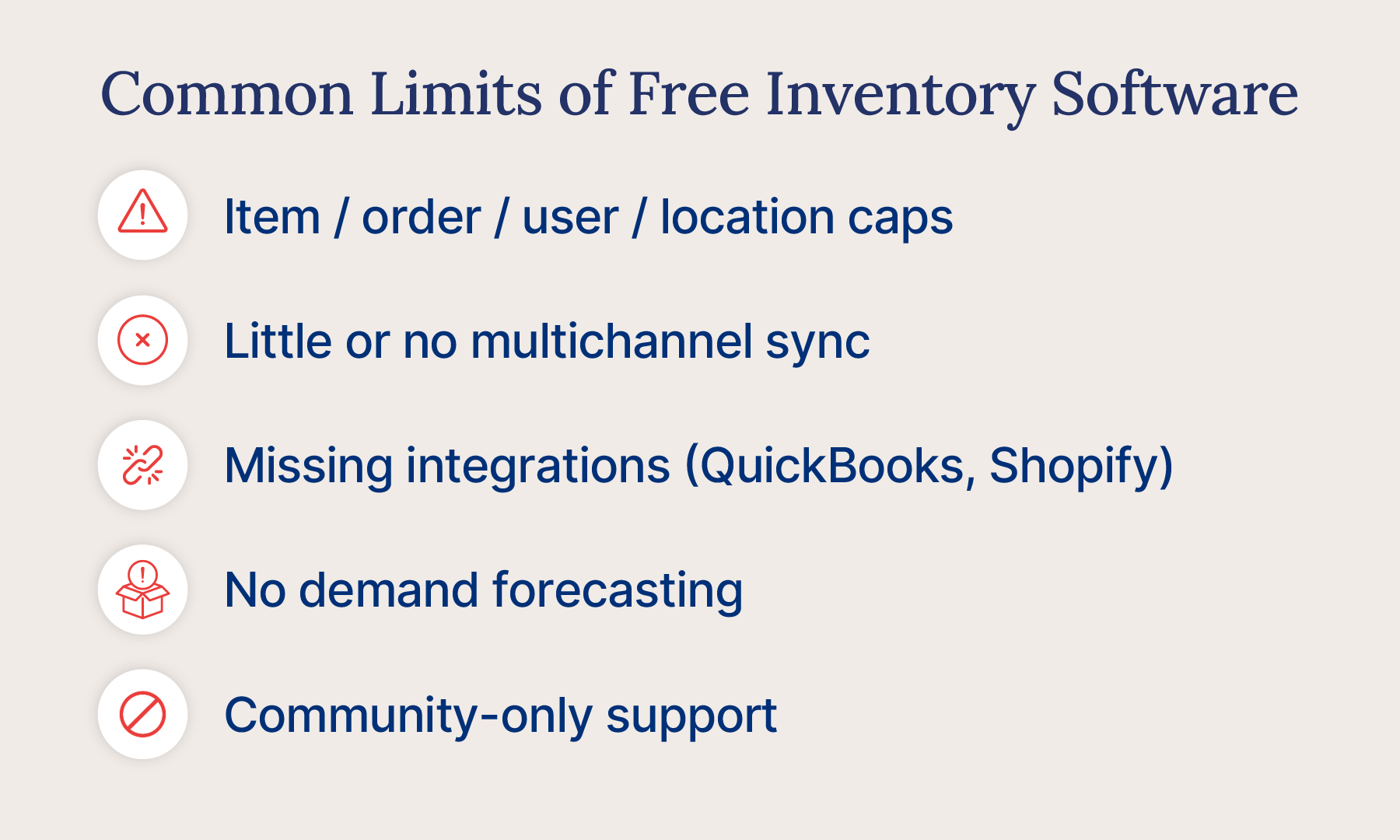
Free plans usually cap items, orders, users, and locations, and they rarely include multichannel sync, integrations, or forecasting. Here's the part most vendors skip: those limits are the whole point. Let's walk through where free typically stops so you're not surprised later.
Item, Order, User, and Location Caps
The most common limits are quantity limits. Many free plans cap the number of items or SKUs you can track, restrict your monthly order volume, and hold you to a single user and a single location. When you name a specific cap, always verify it on the tool's current pricing page, since these numbers change often. The pattern, though, is consistent: outgrow the cap, and you're either paying or migrating.
Little or No Multichannel Sync
This is the line most free tiers just can't cross. Syncing stock in real time across Amazon, Shopify, Walmart, wholesale orders, and your own storefront is complex, and it's almost always a paid capability. Without it, you're updating each channel by hand and hoping the numbers hold. Stockouts and overstock are exactly what real-time sync is built to prevent.
Does Free Inventory Software Integrate With QuickBooks or Shopify?
Usually not. Many free tiers keep most integrations behind the paywall, including accounting software like QuickBooks Online or Xero. Sales channels like Shopify and Amazon are typically paid, too.
That matters, because those connections stop you from rekeying the same data into three systems. For context, Cin7 offers 700+ integrations, exactly the kind of connective tissue free plans generally leave out.
Can Free Inventory Software Forecast Demand?
Forecasting and deeper analytics are structurally a paid capability. Free tools can tell you what you have; they rarely help you predict what you'll need. That gap has a real cost. ISM reports average inventory record accuracy of about 91%, with 95% often cited as world-class, and getting there usually takes more than manual counts. Cin7 ForesightAI is one example of what lives on the far side of that line. It uses AI forecasting to show you what to buy and when.
Limited Support and Scalability
Finally, free support is often limited to community forums and docs. No dedicated help, no onboarding hand-holding, just forums and docs. And as your volume climbs, both performance and features tend to cap out right when you need them most.
Scalability is the sneaky one here. A free plan can feel roomy on day one and cramped by month six, because your business grows but the plan doesn't. You end up bending your workflow to fit the tool instead of the other way around. Free is built to be small. That's fine, until you're not.
How Much Does Free Inventory Software Really Cost You?
Free inventory software costs nothing upfront, but you pay in time, errors, lost sales, and an eventual migration. In other words, it's free of price, not free of cost. That gap is where "free" gets expensive.
Here's what that hidden cost actually includes:
- Manual data-entry time and errors. Every hour spent rekeying stock counts is an hour not spent selling, and manual entry quietly introduces mistakes.
- Lost sales and tied-up cash. Without clear visibility, you get stockouts (lost sales) and overstock (cash frozen on shelves). That's inventory distortion, the costly problem we flagged at the top of this guide.
- Carrying costs on stock you can't see. Holding inventory is commonly benchmarked at 20% to 30% of inventory value per year. Fair warning: that's a planning benchmark that includes the cost of capital and varies by industry, so treat it as directional, not a bill.
- The migration tax. Outgrow a free tool and you face a disruptive switch later, moving data, retraining people, and untangling workarounds.
Here's a quick gut check you can run in two minutes. Estimate the hours you spend each week on manual stock work, multiply by what an hour of your time is worth, and add a rough guess for sales you've lost to being out of stock. Most owners are surprised by the total. That number is the real price tag on "free."
Add those up and "free" often costs more than a modest paid plan would have. That's the real math. A capped free plan can quietly drain time and sales, while a 14-day trial of a system that actually scales lets you test the real thing before you commit. Price is what you see. Cost is what you feel later.
When Should You Upgrade From Free Inventory Software?
Upgrade when you add a second sales channel, hit item or order caps, or spend hours rekeying data. Until then, free can do the job. Paid isn't automatically "better," so here's how to read the signs.
Signs Free Is Still Working for You
Stick with free if the description below still fits you comfortably:
- You sell on one channel.
- Your SKU count is low and your catalog is stable.
- Your order volume is modest.
- You operate from a single location.
- Only one or two people need access.
If that's your world, congratulations, free is doing its job. Don't pay for complexity you don't have yet.
Signs You've Outgrown Free
On the other hand, a few clear signals mean free is now holding you back:
- You're selling on more than one channel.
- You're bumping into item or order caps.
- You're rekeying data between systems by hand.
- Stockouts or overstocks are creeping up.
- You need real demand forecasting.
- More than a couple of people need access.
The multichannel signal is the big one. US e-commerce hit $1.23 trillion in 2025, about 16.4% of all retail, and it's growing faster than retail overall. More selling happens across more channels every year, and that's exactly where single-channel free tools strain.
Take Yuvi Foods, an Australian specialty foods brand Kush Naidu bought with his brother in 2019. The business ran on manual workflows, and its annual stock take was a dreaded three-day project. With Cin7's real-time stock levels, that stock take became a streamlined process.
"The first year, our stock take took three days; the second year, it took us two days; and last year, it took us a day," says Kush.
How Much Does Inventory Management Software Cost?
Paid inventory management software for small businesses is usually a monthly subscription, priced by users, order volume, locations, and features. Here's the reassuring part: upgrading doesn't mean enterprise-sized bills. Want real numbers? See Cin7 pricing for current plans. Weigh that against the hidden costs above (the lost hours, the stockouts, the eventual migration), and a well-chosen paid IMS often pays for itself faster than you'd expect.
Think of it less as a new expense and more as buying back time. The software takes over the rekeying, the reconciling, and the guesswork, and you get those hours back for the work that actually grows the business. That's the trade most owners are happy to make once the numbers stop adding up in free's favor.
How Do You Choose the Right Free or Paid Inventory Tool?
List your must-haves, project your needs 12 months out, then test two or three tools with real data. Choosing well just takes a little honesty about where you're going. Here's the three-step method.
Step 1: List your must-haves. Write down your real requirements: how many channels you sell on, your SKU count, the integrations you need (accounting, marketplaces, your store), how many users need access, and how many locations you run. Be specific.
Step 2: Map your next 12 months. Now project forward. Where will those numbers be a year from now? Picking a tool for today's size alone is how people end up in a rip-and-replace scramble six months later. Choose for where you're headed.
Step 3: Shortlist, then test. Narrow to a couple of options and actually try them. Use forever-free plans and free trials to pressure-test your real workflows, not a demo dataset. Push them until you find the edges.
One more tip: weigh the switching cost as part of your decision. The cheapest tool today can become the most expensive if you have to abandon it in a year. Ask how easily your data exports, whether integrations grow with you, and what moving to the next tier actually involves.
Above all, favor a tool with a clear upgrade path, so growth expands your system instead of forcing a fresh start. Cin7 is one example of that built-in path. Start with Cin7 Core and step up to Cin7 Omni as you scale, without ripping everything out.
Which Integrations Should Free Inventory Software Support?
At minimum, your inventory software should connect to your accounting tool, your sales channels, and your shipping setup. Without those links, you're copying the same order into three systems. (Fun for no one.)
- Accounting: QuickBooks Online or Xero, so stock value and cost of goods flow into your books.
- Storefronts: Shopify, WooCommerce, or BigCommerce, so online stock stays accurate.
- Marketplaces: Amazon, Walmart, or eBay, so you don't oversell a best seller.
- Shipping and fulfillment: ShipStation or your 3PL, so orders ship without rekeying.
Free plans often skip these or limit you to one connection. Cin7 connects with 700+ apps, including native integrations for QuickBooks, Xero, Shopify, Amazon, and Walmart.
Frequently Asked Questions
Is There Free Inventory Management Software?
Yes, free inventory management software comes in two forms: forever-free plans and free trials. Forever-free plans cap items, orders, users, and integrations. Free trials give you the full system for a set window, often 14 days.
How Do I Use Free Inventory Management Software?
Start by importing your product list and entering opening stock counts. Then record every sale, delivery, and adjustment in the tool, and set low-stock alerts if your plan includes them. A quick weekly spot count keeps your numbers honest!
Is Free Inventory Software Really Free?
It's free of price, not free of cost. You'll still spend time on manual entry, absorb stockout and overstock risk, and may face a disruptive migration later. For a very small operation, those costs can stay low for a good while.
What's the Difference Between a Forever-Free Plan and a Free Trial?
A forever-free plan never charges you but limits what you can do. A free trial removes the limits for a set period, then you choose a plan. One optimizes for staying free; the other for testing the real thing.
Can I Use Excel or Google Sheets for Inventory Management for Free?
Yes, for a very small, single-user operation, a well-built spreadsheet works and costs nothing. It falls apart once you need real-time updates, multiple editors, low-stock alerts, or a sales channel connection. Start with an inventory list template, then graduate when you grow.
What Are the Limits of Free Inventory Software?
Expect caps on items, orders, users, and locations, plus little or no multichannel sync and few integrations. Forecasting and advanced reporting usually sit behind paid tiers, and support is often limited to community forums and docs. Limits vary by tool, so check the current pricing page.
Does Free Inventory Software Sync Across Sales Channels?
Usually not in real time. Multichannel sync across marketplaces, your storefront, and wholesale is complex, so it's almost always a paid capability. If you sell on more than one channel, verify this before relying on a free plan.
Does QuickBooks Have an Inventory System?
Yes. QuickBooks Online includes inventory tracking on its Plus and Advanced plans, and Simple Start or Essentials users can buy an inventory add-on, according to Intuit. It's built for accounting first, so multichannel sync, warehouse tools, and demand forecasting usually need a dedicated IMS. Cin7 integrates with QuickBooks Online, so your stock and your books stay in step.
What Is an Inventory Management App?
An inventory management app is software that tracks your stock, orders, and product data from a phone, tablet, or browser. Most let you adjust counts, scan barcodes, and see what's running low. Some are standalone tools, while others are the mobile side of a full IMS like Cin7.
What Does an Inventory Management App Cost?
Many inventory management apps offer a free plan or free trial, and paid plans are usually monthly subscriptions. Price typically depends on users, order volume, locations, and features like integrations or forecasting. Check each vendor's pricing page for current numbers, including ours.
When Should I Upgrade From Free to Paid Inventory Software?
Upgrade when you add a second sales channel, hit item or order caps, rekey data between systems, or need demand forecasting. In short, upgrade when workarounds cost more time than the software would. That's usually when a low-cost paid IMS pays for itself.
Are Zoho Inventory and Sortly Free?
Yes, both offer a free plan. As of November 3, 2026, Zoho Inventory's pricing page lists a forever-free plan with 50 orders, 1 user, and 1 location. Sortly's pricing page lists a free plan with 100 unique items and 1 user license. If you're comparing free plans, Cin7's 14-day free trial lets you test a full multichannel IMS side by side.
Is Square Inventory Management Free?
Yes, at a basic level. According to Square's inventory management page, Square Free includes basic item and catalog management, while Square Plus and Square Premium add more inventory features. It's a solid fit if you mostly sell in person through Square's POS. If you also sell on marketplaces or wholesale, check how far the free tools stretch before you commit.
Is There Open-Source Inventory Management Software?
Yes. InvenTree is an open-source inventory system built for parts management and stock control, and Odoo offers open-source business apps that include inventory. The software itself costs nothing, but you'll usually handle hosting, setup, and updates yourself. If nobody on your team loves servers, that "free" can get pricey in time.
Do You Need a Barcode Scanner for Inventory Software?
Not always. Many inventory apps let you scan barcodes with your phone's camera, so you can start without buying hardware. In Cin7 Core, for example, the WMS app works with a connected scanner or your device's camera. A dedicated scanner speeds things up once you're scanning hundreds of items a day.
What Is the Easiest Inventory System for a Small Business?
The easiest system is the one your team will actually use every day. For most small shops, that's a simple app with barcode scanning, low-stock alerts, and a connection to where you sell. Start there, and step up to a full IMS when workarounds start eating your week. When that day comes, here's how to move off spreadsheets without the headache.
What Is the 80/20 Rule for Inventory?
The 80/20 rule says roughly 20% of your products account for about 80% of your inventory value. It's the idea behind ABC analysis, where your top sellers get the most attention. Even on a free tool, you can put it to work: if your tool exports sales by item, count your "A" products more often.
Conclusion: Start Free, Scale Smart
Here's the honest takeaway. Free is a great place to start and a lousy place to get stuck. If your needs are small and steady, a free plan or a solid spreadsheet can serve you well, and there's zero shame in that.
The trick is to match your tool to where you're headed, not just where you are today. The moment free starts costing you in lost time, missed sales, or manual busywork, that's your cue to step up. And if you pick something with a real upgrade path, that step up is a small one instead of a full teardown.
Yuvi Foods didn't need a giant leap to leave spreadsheets behind, just the right system at the right time. Your move might be simpler than you think.
So start free, scale smart. When you're ready to see what a system that grows with you feels like, start a 14-day free trial of Cin7 Core. Or request a demo, and we'll walk you through it. No pressure, just a clear look at what's next.
More from the blog
View All Posts
Best Free ERP for Small Business: What's Actually Free (and What Isn't)
Read More
The 10 Best Inventory Management Software for 2026
Read More